=== TEIL 1: DAS GLAS-INTERFACE BAUEN (Bildmodell, z. B. Nano Banana oder ChatGPT) ===
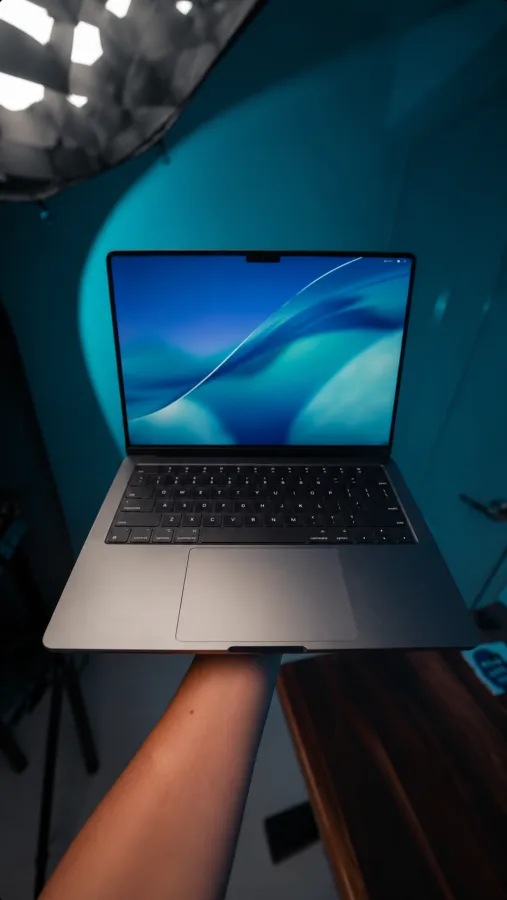
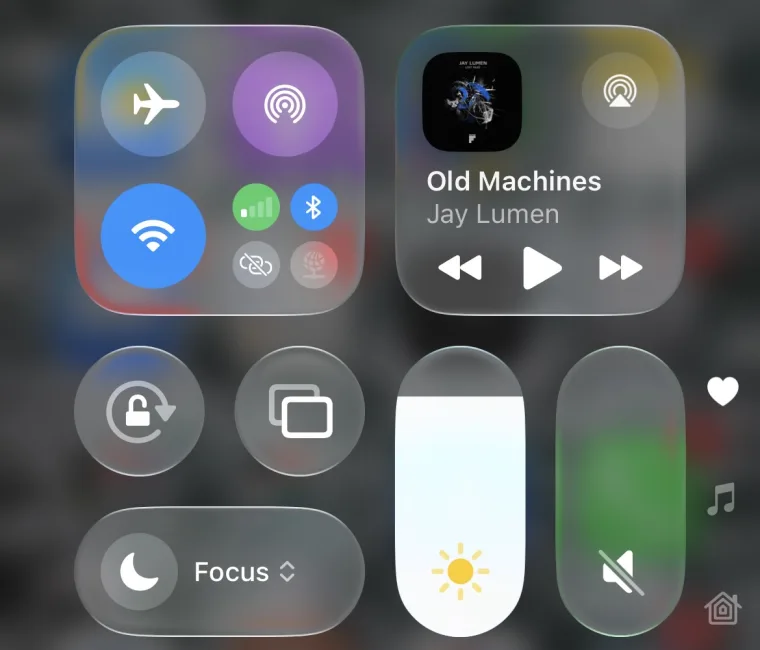
Hochladen: 1) Screenshot des ersten Frames deines Laptop-Videos  2) eng zugeschnittener Screenshot des iPhone-Kontrollzentrums (nur Interface, kein Hintergrund)

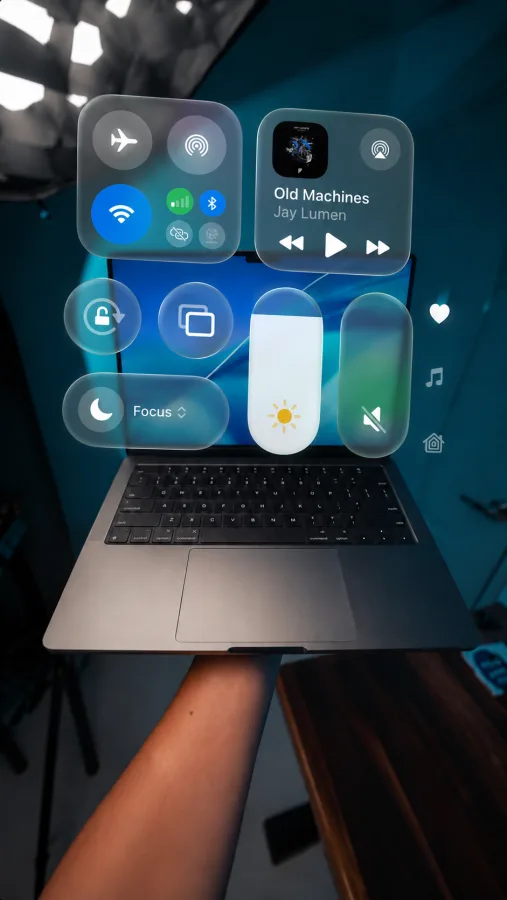
Using the uploaded laptop photo and the provided iPhone Control Center as references, transform the Control Center into an Apple Vision Pro-style spatial interface floating above the laptop.

The interface must not be a single panel. Recreate it as multiple independent floating glass cards, exactly matching Apple's original layout. Every module should remain its own separate glass panel with identical spacing, proportions, hierarchy, icons, colors, typography, and arrangement.

Scale the entire interface to be larger than the laptop, extending beyond the display in both width and height. The floating workspace should feel expansive, with the combined arrangement occupying roughly 140% of the laptop's footprint, while keeping every module perfectly balanced.

Each glass card should feel like a physical object suspended in space. Use premium Apple's liquid glass materials with translucency, soft background blur, realistic glass thickness, subtle edge highlights, gentle internal reflections, light refraction, and soft natural shadows. The interface should look identical to Apple's glass UI found in Vision Pro.

The glass must remain visually independent. Do not allow the laptop wallpaper, desktop, or surrounding environment to blend into, tint, or affect the interface. Each card should maintain its own clean frosted appearance regardless of what is behind it.

Every card should be anchored to the laptop in 3D space, floating naturally several inches in front of the screen with accurate perspective and depth. The interface should feel like it originates from the laptop while remaining suspended in mid-air.

Do not merge cards together. Do not redesign, simplify, stretch, crop, rearrange, or modify any UI elements. Preserve every detail exactly.

Avoid sci-fi holograms, neon glows, projection beams, blue lighting, or futuristic visual effects. This should resemble Apple's spatial computing interface, not a hologram.

Transparent glass see through, like liquid glass.

=== TEIL 2: TRACKING AUF DEM MACBOOK (Google Flow) ===
Hochladen: 1) dein Original-Video  2) das Bild aus Teil 1

Use the uploaded video as the base video and the uploaded image as the visual reference.

At the beginning of the video, only the laptop is visible. The floating glass interface gradually appears from the laptop screen, with each card smoothly animating into place one after another.

Once fully visible, keep the interface perfectly attached to the laptop for the rest of the video. As the laptop moves, rotates, and tilts, the interface follows naturally with accurate tracking.

Keep the layout, glass appearance, and positioning similar to the reference image. Do not change the video or background.

=== TEIL 3: TRACKING AM IPHONE / AN JEDEM OBJEKT (Google Flow) ===
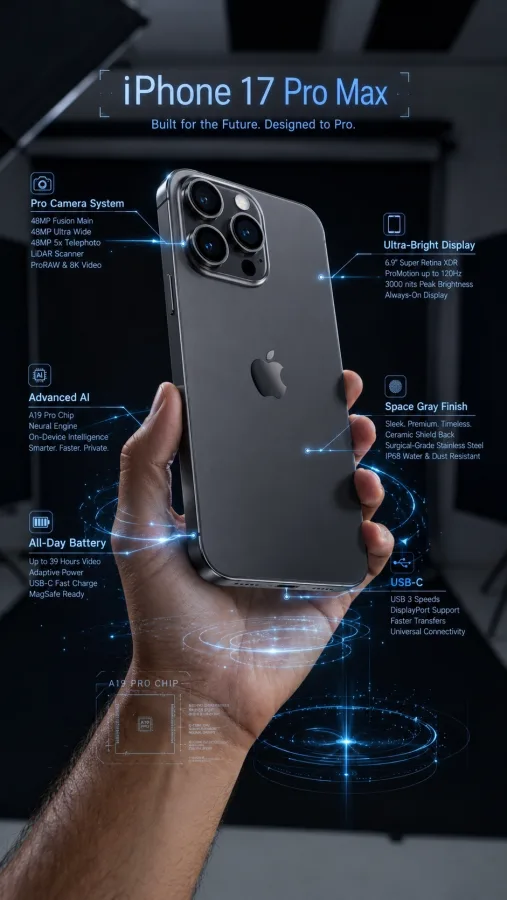
Hochladen: 1) dein Original-Video  2) das bereits beschriftete Produktbild (Callouts, Labels, Linien, auf dem ersten Frame aufgebaut)

Apply precise 3D motion tracking to the existing text and UI graphics.

The text and callout elements must:
Stay perfectly locked to the object
Be anchored to a consistent surface point
Move naturally with the hand and object
Maintain correct 3D perspective and depth
React accurately to rotation and tilt
Preserve proper scale relative to distance from camera

Tracking must feel rigid and physically attached to the object, not screen-space tracked.

No drifting
No sliding
No jitter

Clean, professional AR-style overlay.